Portrait
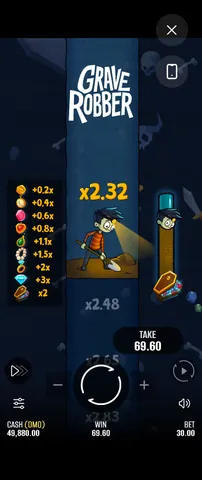
The natural orientation for one-handed play. The dig shaft runs vertically, which suits a tall screen, and the bet, SPIN and TAKE controls stack under it within thumb reach. This is the orientation to use if you are playing short sessions.
Looking for the Grave Robber app? There isn't one to download — and you do not need it. Grave Robber, the instant win game by Pixmove, is browser-based and adaptive: Pixmove lists desktop, mobile and tablet support, and the same build serves all three. On Android and on iPhone you open a page and play, with nothing to install. Below is how to run it like an app, and why there is no APK.
No. There is no Grave Robber app and no APK to download — the game is played in the browser. That short answer is the whole of it, but it is worth explaining why, because the search results will try to tell you otherwise.
We have found no official Grave Robber app, on any platform. Pixmove has not published an Android APK, a Google Play listing or an App Store listing for this title, and it does not need to — the game is a web build that runs inside the browser you already have. Anything advertising itself as a "Grave Robber APK" or a "Grave Robber download" is not coming from the developer.
People search for "grave robber apk" and "grave robber android download" because that is how a lot of mobile games work, and because a great many low-quality sites are happy to publish a download page for a game that has none. It costs them nothing to invent a file size and a version number. It can cost you a great deal to install the result.
Treat any third-party APK claiming to be this game as untrusted, for three plain reasons:
The same applies on iPhone. There is no Grave Robber iOS app, and any page offering a "configuration profile" or a sideload route to get one should be closed. Safari is all you need.
The entire process is opening a page. The game client loads in the browser, in whichever browser you use — Chrome, Samsung Internet or Firefox on Android; Safari or Chrome on iPhone and iPad. Nothing is downloaded to your device beyond the normal page assets, and nothing stays behind when you close the tab.
Want to try it from your phone right now? Grave Robber runs free in the browser — no download, no account — so there is nothing to install before you play.
Play Grave Robber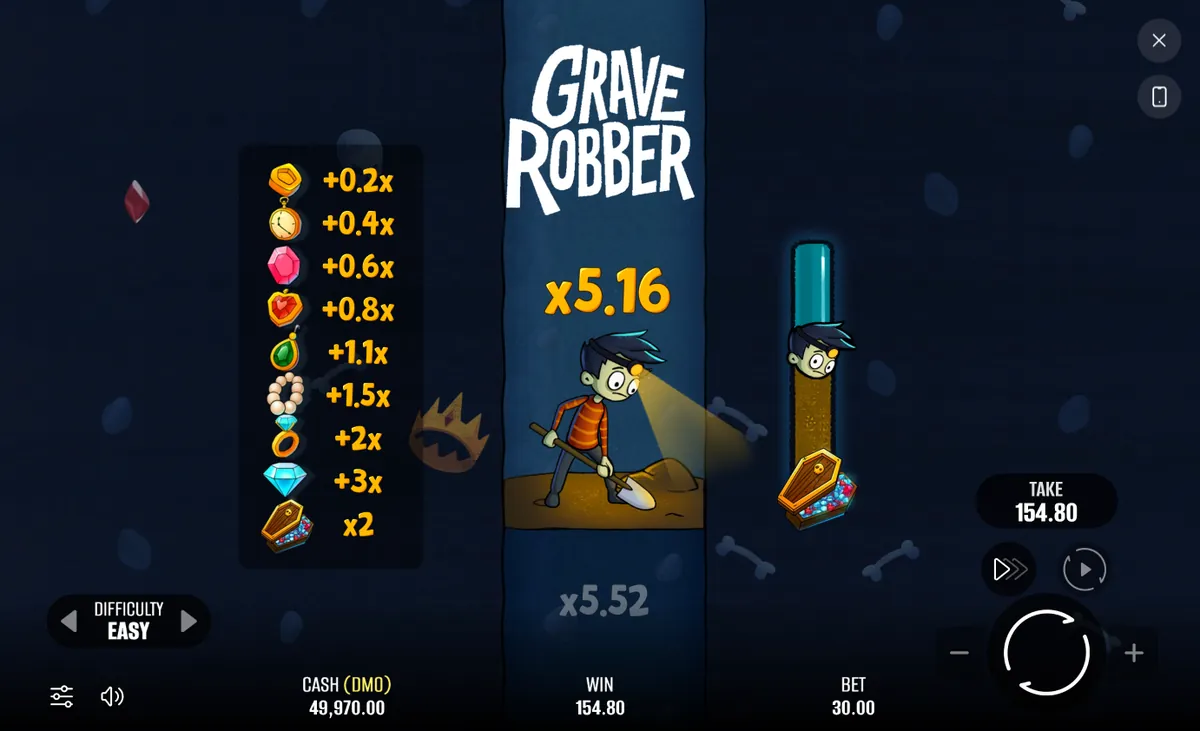
The layout is adaptive, which in practice means it reflows to the space available rather than scaling one fixed canvas down until the text is unreadable.
The natural orientation for one-handed play. The dig shaft runs vertically, which suits a tall screen, and the bet, SPIN and TAKE controls stack under it within thumb reach. This is the orientation to use if you are playing short sessions.
Gives the graveyard scene and the descent more horizontal room, and puts more of the crypt progress bar in view at once. Worth rotating to when you want to read the in-game paytable panel, which is denser than anything else in the interface.
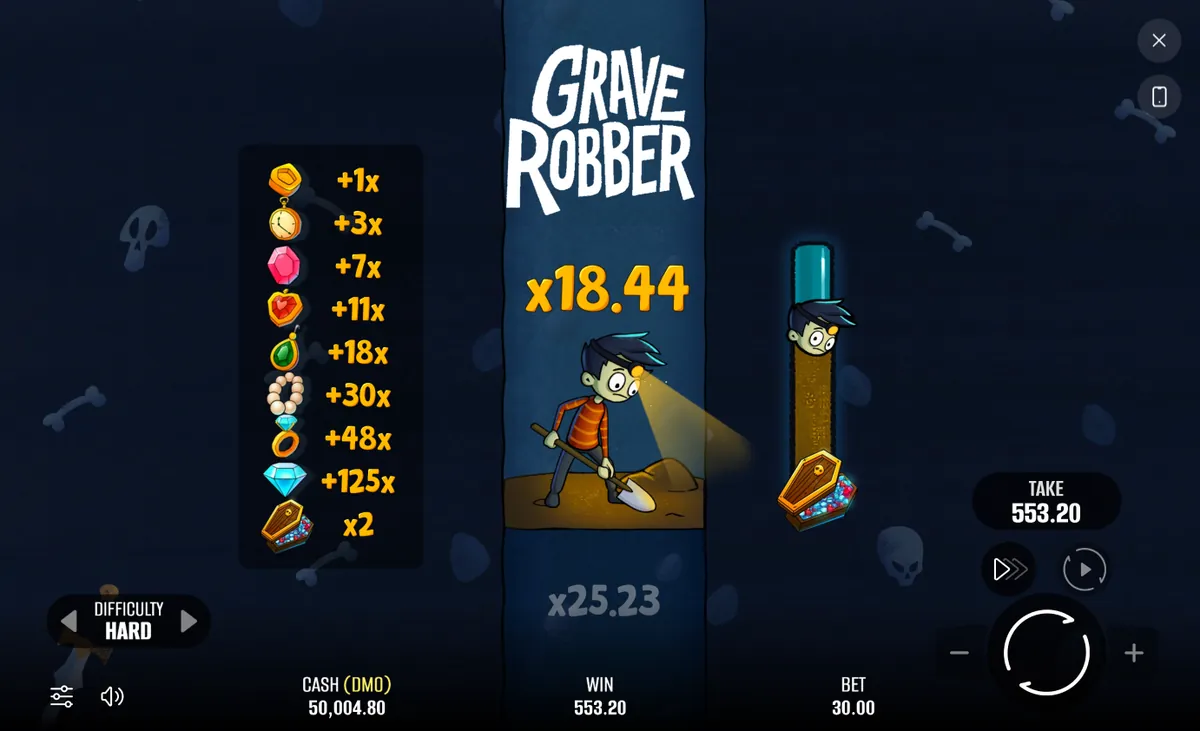
If you are comparing the three paytables, rotate to landscape or read them here instead — the full symbol-by-symbol breakdown for EASY, MEDIUM and HARD is on the RTP and paytable page, which is easier to scan on a phone than the in-game panel.
Nothing is cut from the mobile build. All three difficulties, the skull, the six-sided dice save, the coffin x2, ONE LAST GAMBLE, the full autoplay range and turbo mode are all present. The layout reflows; the feature set does not shrink. Each mechanic is explained on the game features page.
If what you actually wanted from an "app" was an icon on your home screen, you can have that without an APK. Both mobile platforms let you save a web page as a shortcut that opens like an app, usually without the browser chrome.
| Platform | How | Result |
|---|---|---|
| iPhone / iPad (Safari) | Share → Add to Home Screen | An icon that opens the page directly, typically full-screen |
| Android (Chrome) | Menu → Add to Home screen | An icon, and on supported pages a PWA-style standalone window |
| Android (Samsung Internet, Firefox) | Menu → Add page to → Home screen | The same shortcut behaviour |
Be clear about what this is. A home-screen shortcut is a bookmark with an icon. It installs no code, requests no permissions, and can be removed by dragging it away. That is the whole difference between it and an APK, and it is the difference that matters.
The game is served from a remote engine and needs a live connection for the whole session — each dig is a round trip, not a local calculation. There is no offline mode, and there is no meaningful sense in which the game could be played without a signal.
The bulk of the data goes on the first load, when the browser fetches the graphics. After that the ongoing traffic per round is small, because what moves back and forth is game state rather than artwork. Practical consequences:
A phone changes how you play more than it changes the game. Two things are worth watching.
The first is tap accuracy. TAKE and SPIN sit close together and both are large, which is fine until you are digging quickly with turbo on and your thumb is moving on rhythm. Recorded across demo rounds, the mis-tap that actually costs something is hitting SPIN when you meant to take — the round continues, and the multiplier you had decided to bank is back at risk. Slowing down at the point where you intend to stop is worth more than any strategy.
The second is that a phone invites long, unstructured sessions in a way a desktop does not. Grave Robber's only decision is when to press TAKE, and that decision degrades when you are playing half-attentively on a sofa. Set a cash-out multiplier before you start, and use the autoplay stop rules to enforce it rather than relying on your own judgement mid-session. The reasoning behind picking a target is on the strategy page.
New to the game entirely? Start with the how to play guide, or return to the Grave Robber overview for the headline numbers: 95% RTP, a x5,000 cap and three difficulties that behave like three separate games.
No. There is no official Grave Robber app and no APK to download. The game is a web build that runs in your mobile browser on Android and iPhone. Any site offering a Grave Robber app or APK is not from the developer and should be treated as untrusted.
Yes. Grave Robber runs in Safari or Chrome on iPhone and iPad with no app to install. The layout adapts to the smaller screen, stacking the dig shaft, bet control and TAKE button into one column. You can add a home-screen shortcut for an app-like icon.
No. Nothing is downloaded beyond the normal web page. You open the game page in your browser and play, and when you close the tab nothing stays on your device. This is why there is no APK and no app-store listing.
More questions are answered on the Grave Robber FAQ.
Grave Robber runs in the browser on Android, iPhone and tablet. Open the page and play — and ignore anything offering you a file to install.
Grave Robber by Pixmove95% RTP · x5,000 max win · instant browser play
Play Grave Robber